
robots.txt returns errors, redirects or HTML
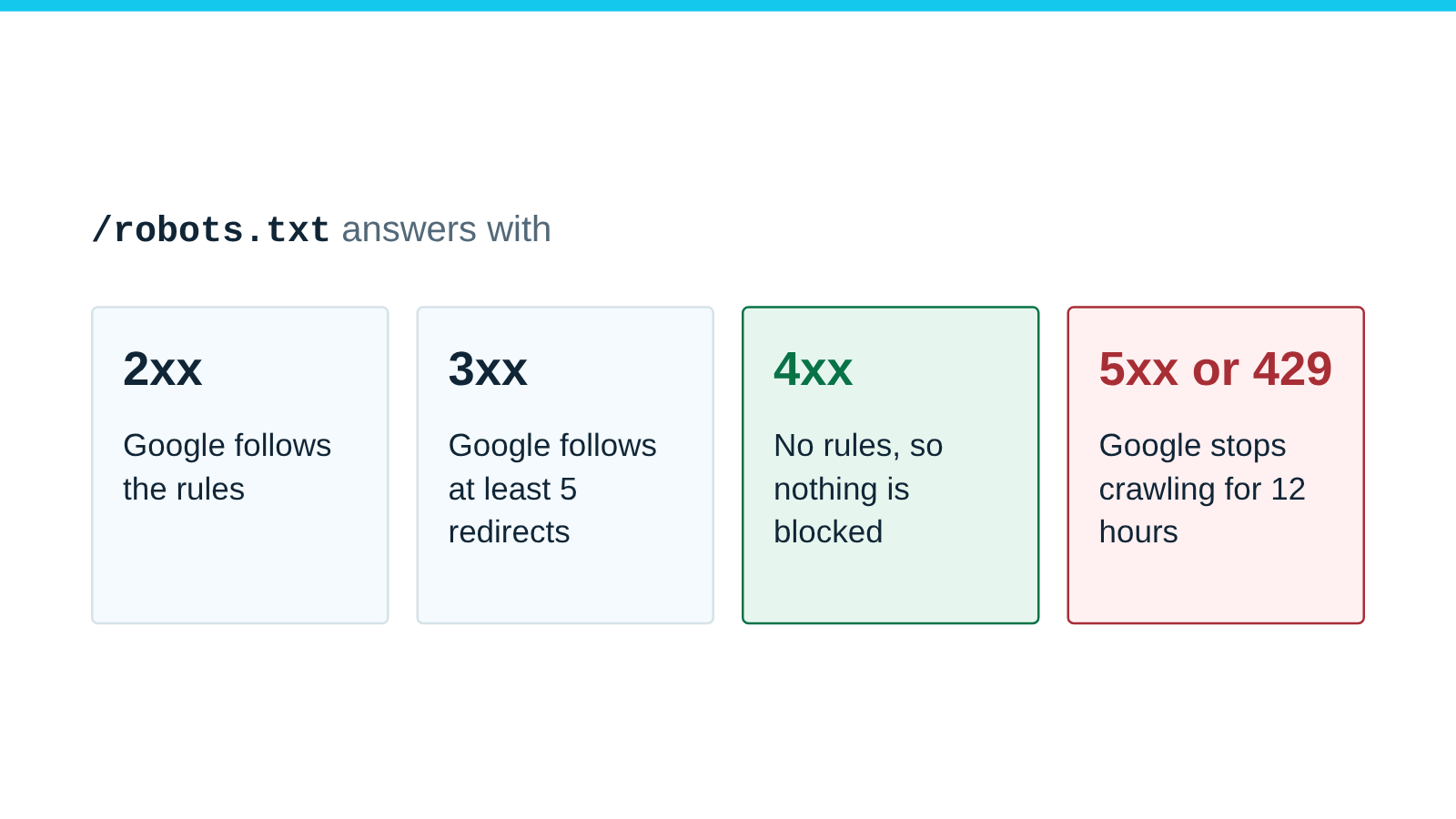
Serve robots.txt as a plain-text file with status 200. A 4xx can mean no rules, a 5xx can stop crawling, and a web page instead usually means no rules.
Published
Check this is your problem
- Pages you blocked still get crawled. A bot challenge may answer
/robots.txtwith 403, or your app may send its own HTML page instead of the file. - Crawling stops for the whole site.
/robots.txtmay return a 5xx error or time out. - Your rules work on one hostname only. The other may redirect
/robots.txtmore than five times.
How to fix robots.txt errors
-
Check what each address returns. Each hostname and scheme has its own
/robots.txt, so check them all:for u in https://example.com https://www.example.com http://example.com; do curl -sS -o /dev/null -L --max-redirs 5 \ -w "$u %{http_code} %{content_type} redirects=%{num_redirects}\n" "$u/robots.txt" doneYou want
200,text/plainand at most one redirect on each line. -
Serve
/robots.txtas a plain text file (text/plain) with status 200 on every hostname, before any catch-all route. -
Let
/robots.txtthrough bot challenges, firewall blocks and rate limits. -
Keep redirects to one hop, or serve the same robots.txt on every hostname.
-
If your server can go down, cache
/robots.txtat the edge, so a short outage does not return a 5xx error. -
Check it worked. Run the
curlloop again: every line should show200 text/plainand at most one redirect. Then paste the live file into the robots.txt tester and test a page you meant to block.
If this does not work
- If bots get 403 or 429 on your pages, not only on
/robots.txt, read 403 and 429 errors for Googlebot and Bingbot. - If your site is on Cloudflare and one of its bot settings blocks the crawler, read Cloudflare blocks a crawler you meant to allow.
What each robots.txt status code does
RFC 9309 section 2.3.1 covers successful access, redirects, “unavailable” (4xx) and “unreachable” (5xx and network errors) responses. Google documents its own handling:
| Response | RFC 9309 | |
|---|---|---|
| 2xx | Follow the parseable rules | Follows them; invalid lines are ignored, so an HTML page without rule lines yields no rules |
| 3xx | Should follow at least five redirects; after more than five, may treat the file as unavailable | Follows at least five hops, then treats robots.txt as a 404 |
| 4xx | “Unavailable”: the crawler may access anything | All 4xx except 429 mean no robots.txt, so no restrictions |
| 5xx, timeouts, DNS errors | “Unreachable”: the crawler must assume complete disallow | Stops crawling for 12 hours, then uses the last good copy for up to 30 days |
Google treats 429 as a server error, not as a missing file.
How we tested each case
We reproduced each case on October 15, 2026, with a local test server, one hostname per case (server.mjs, run.sh):
ok.test        200 text/plain redirects=0
missing.test   404 text/html redirects=0
blocked.test   403 text/html redirects=0
limited.test   429 text/plain redirects=0
down.test      503 text/plain redirects=0
spa.test       200 text/html; charset=utf-8 redirects=0
chain.test     200 text/plain redirects=6

Same chain, stopping after five redirects:
301 redirects=5 exit=47
The spa.test response looks healthy, but its body is the app’s HTML. Our parser found no groups in it, so every
URL came out allowed. The chain.test file sits six redirects away. With five allowed, curl stopped with exit code
47. RFC 9309 lets crawlers stop there too, and Google only promises five hops.
Sources
- RFC 9309: Robots Exclusion Protocol, section 2.3.1, IETF. Accessed .
- How Google interprets the robots.txt specification, Google. Accessed .
- How HTTP status codes affect Google's crawlers, Google. Accessed .
- Error page types, Cloudflare. Accessed .