
Cloudflare blocks a crawler you meant to allow
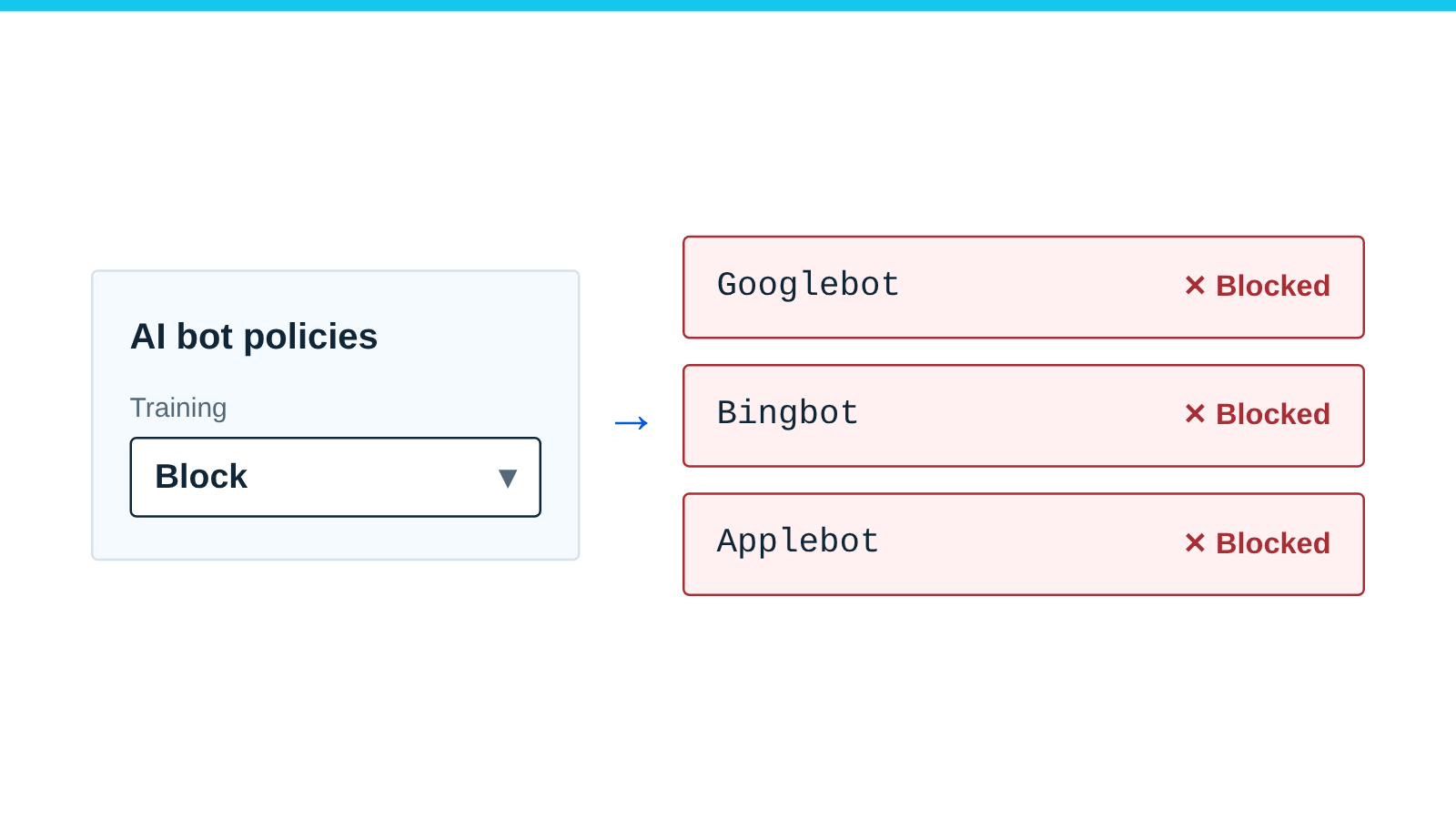
Several Cloudflare bot settings can block crawlers. Setting Training to Block now stops Googlebot and Bingbot too. Find the one that blocked your crawler.
Published
Check this is your problem
- Googlebot or Bingbot stops crawling after you set Training to Block in Cloudflare.
- An AI assistant cannot open your pages, or AI Crawl Control shows only failed requests for a crawler you want.
- Your
robots.txthas lines you did not write: Content Signals comments and a block marked# BEGIN Cloudflare Managed content. - A crawler gets a challenge page or a 403 your origin never sent.
How to find the setting that blocks a crawler
-
Look for Cloudflare’s managed lines in your robots.txt. If the command prints nothing, there are probably none.
curl -sS https://example.com/robots.txt | sed -n '/BEGIN Cloudflare Managed/,/END Cloudflare Managed/p' -
Check the status card on AI Crawl Control’s Directives tab. It shows whether Cloudflare manages the file.
-
Read the zone’s settings with an API token that has Bot Management read.
curl -sS "https://api.cloudflare.com/client/v4/zones/$ZONE_ID/bot_management" -H "Authorization: Bearer $TOKEN" -
In Security Analytics, open Events and filter by the crawler’s user agent. The Service field names the feature.
-
Do not rely on
curl -A "GPTBot"from your own computer. It is not a verified bot, so it only tests rules based on the user agent.
In the API response, check these fields:
| Field | Affects crawlers when |
|---|---|
ai_search, ai_training, ai_user |
block or only_on_ad_pages (ai_training also disallow) |
ai_bots_protection |
block or only_on_ad_pages (the older “Block AI bots” rule) |
content_bots_protection |
block: blocks automated traffic with low bot scores, except safe verified bots |
bot_preference_sync_enabled |
true, with a policy that blocks or disallows: Cloudflare adds robots.txt lines, a request. With Training on Disallow, it also blocks training-only crawlers at the edge (see ai_training) |
is_robots_txt_managed |
true: Cloudflare adds robots.txt lines (a request, not a block) |
fight_mode |
true: Bot Fight Mode is on |
sbfm_verified_bots, sbfm_definitely_automated, sbfm_likely_automated |
Pro and up (sbfm_likely_automated: Business and up): Super Bot Fight Mode blocks or challenges that group |
On crawlguide.com, read on October 15, 2026, every field above was off, and the Super Bot Fight Mode fields were absent.
How to fix it
Change only the setting that blocked the crawler:
- AI bot policies: to stop training but keep search, set Training to Disallow AI Training, not Block. Cloudflare says Bing does not read that robots.txt preference yet.
- AI Crawl Control: set the crawler to Allow, then check earlier WAF rules and Super Bot Fight Mode.
- Bot Preference Sync: turn it off to stop Cloudflare adding lines, or change the policy that produced them. Cloudflare documents turning it on, not off.
- Content bots protection: Cloudflare says to manage exceptions with skip rules.
- Bot Fight Mode: turn it off, or move to Super Bot Fight Mode, where verified bots have their own setting.
Check it worked
- Repeat the Events filter. No new events should appear for the crawler. Security Analytics shows all traffic, so check there that its requests are served.
- Re-run the
curlcheck and paste the file into the robots.txt tester. - In AI Crawl Control, the crawler’s unsuccessful requests should stop growing. Rules that run earlier may not show there, so confirm in Security Analytics.
If this does not work
- If the crawler gets 403 or 429 from a firewall or rate limiting rule, read 403 and 429 errors for Googlebot and Bingbot.
- If
/robots.txtitself returns an error, a redirect chain or a web page, read robots.txt returns errors, redirects or HTML.
Cloudflare bot settings that block crawlers
What each setting does, per Cloudflare’s documentation (read October 15, 2026):
| Setting | Where | Effect on crawlers |
|---|---|---|
| AI bot policies | Security Settings, Configure AI bot policies | Search, Agent and Training: each Block, Block on pages with ads, or Allow. Training also has Disallow AI Training |
| AI Crawl Control | AI Crawl Control, Crawlers tab | Blocks go in one WAF custom rule, “AI Crawl Control”. Matched by user agent, except on Enterprise with Bot Management |
| Bot Preference Sync | Configure AI bot policies, Enable Bot Preference Sync | For a policy that blocks or disallows, adds lines before your robots.txt, or serves its own file. With Training on Disallow, it also blocks training-only crawlers at the edge |
| Bot Fight Mode (Free) | Security Settings, Bot traffic | CPU-heavy challenges; WAF rules and Page Rules cannot skip it |
| Super Bot Fight Mode (Pro and up) | Security Settings, Bot traffic | Actions per category; verified bots get their own Allow or Block |
Easy to miss:
- Since September 15, 2026, Training on Block also blocks Googlebot, Bingbot and Applebot. “Block on pages with ads” blocks them on those pages. That cuts search, not only training.
- Allow in AI Crawl Control only means it adds no block. Rules that run earlier can still block the crawler.
- A Free plan site with no robots.txt of its own and Bot Preference Sync off gets Cloudflare’s Content Signals comments. It gets no managed block.
From September 15, 2026, Cloudflare offers each new domain a preset when it’s added. Both presets turn on Bot Preference Sync. The one for sites with ads also sets Training to Disallow AI Training and Agent to Block on pages with ads. Ours, added October 14, had Bot Preference Sync off and no AI bot policy.
Cloudflare’s Bot Fight Mode page does not say whether it challenges verified bots such as Googlebot.
Sources
- Have it both ways: stay discoverable in search while disallowing AI training, Cloudflare blog, September 15, 2026. Accessed .
- Block AI bots (AI bot policies), Cloudflare. Accessed .
- robots.txt setting, Cloudflare. Accessed .
- Directives (AI Crawl Control), Cloudflare. Accessed .
- AI Crawl Control with WAF, Cloudflare. Accessed .
- AI Crawl Control, get started, Cloudflare. Accessed .
- Manage AI crawlers, Cloudflare. Accessed .
- Bot Fight Mode, Cloudflare. Accessed .
- Super Bot Fight Mode for Pro plans, Cloudflare. Accessed .
- Verified bots, Cloudflare. Accessed .
- Security Events, Cloudflare. Accessed .
- Security Analytics, Cloudflare. Accessed .
- Get Zone Bot Management Config (API reference), Cloudflare. Accessed .