
403 and 429 errors for Googlebot and Bingbot
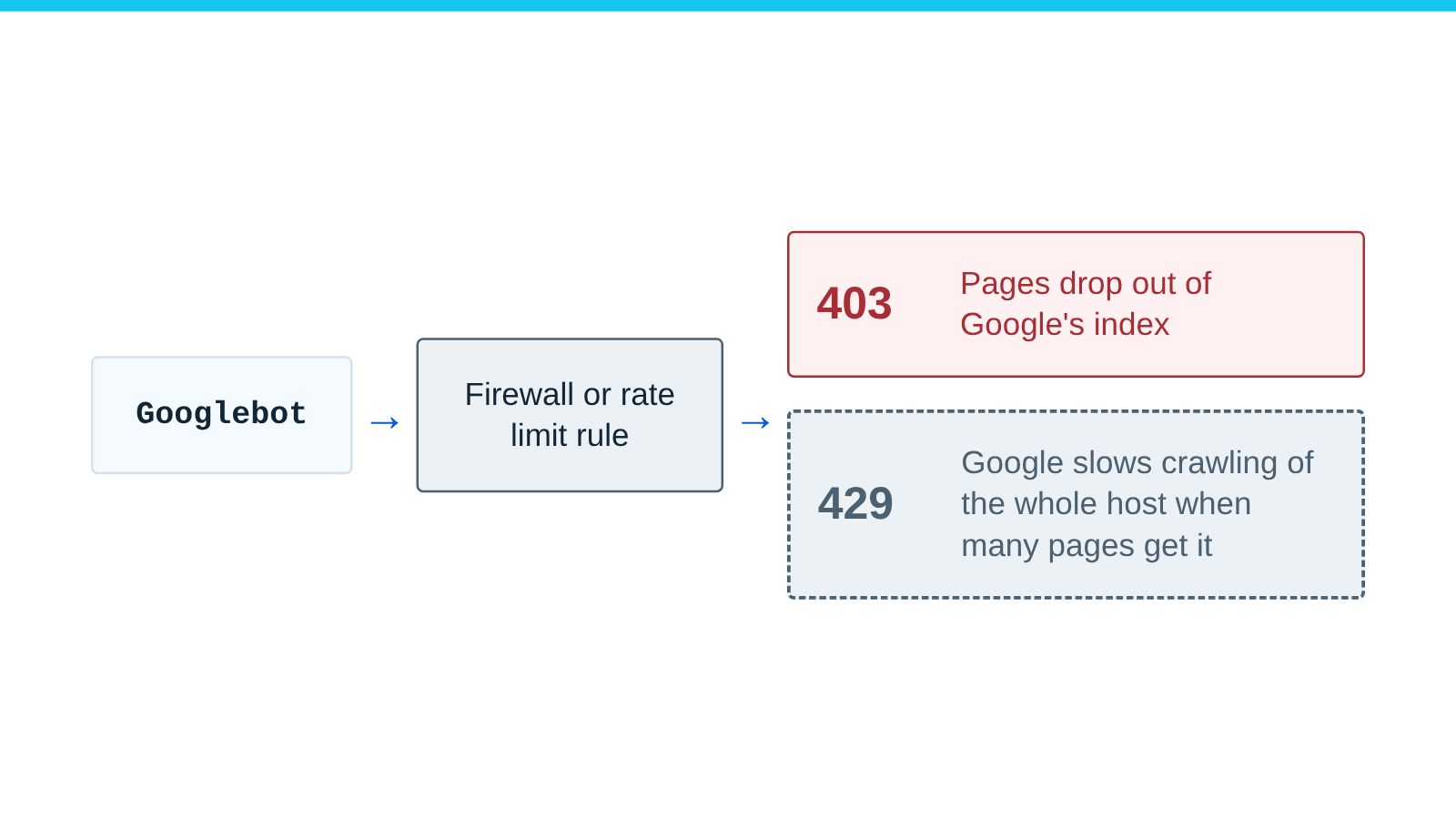
Google drops pages that return 403, and slows crawling of the whole host when many URLs return 429. Let verified crawlers past the rule that sends them.
Published
Check this is your problem
- Search Console reports “Blocked due to access forbidden (403)” on pages that load in a browser.
- Bing Webmaster Tools sends a crawl error alert for 403 on pages that load in a browser.
- Pages drop out of the index, or crawling slows, after you add a firewall or rate limiting rule.
- Your logs show a crawler’s user agent getting 403 or 429.
How to fix 403 and 429 errors
-
Check the blocked requests really came from the crawler. Google says its user agent “is often spoofed”. Google and Bing document the same check: look up the name for the IP address, then look up that name and check it gives the same IP address back.
host 66.249.66.1                         # reverse: must end in googlebot.com, google.com or googleusercontent.com
host crawl-66-249-66-1.googlebot.com     # forward: must return 66.249.66.1
For Bingbot, the name must end in
search.msn.com. The crawler list links each company’s list of IP addresses where it publishes one. If the requests fail this check, your rule stopped an impostor and needs no change. -
Let real crawlers through by checking who they are, never by their user agent. A rule based on the user agent lets every impostor in. On Cloudflare,
cf.client.botis true for known good bots, on all plans, per Cloudflare’s WAF FAQ. Cloudflare’s example leaves them out of a rate limiting rule:(http.request.uri.path eq "/store" or http.request.uri.path eq "/prices") and (http.host eq "mystore1.com" or http.host eq "mystore2.com") and not cf.client.botAdd
and not cf.client.botto your own block, challenge and rate limiting rules. -
To let them past several Cloudflare rules at once, add a Skip rule before the rules it should bypass, as Cloudflare documents. A Skip rule can skip rate limiting (
http_ratelimit), Super Bot Fight Mode (http_request_sbfm) and managed rules. We found no Cloudflare example of a Skip rule that matchescf.client.bot, so test yours. Bot Fight Mode cannot be skipped. -
Without Cloudflare, let the companies’ published IP address ranges through before your rate limits and blocks. Bing asks you to refresh its list every day.
-
Check it worked:
- Load a page and check it still returns 200.
- In your firewall log, check that new requests from verified addresses are not blocked.
- Watch crawl stats in Search Console and Bing Webmaster Tools. Google “gradually increases the crawl rate” after 2xx responses return.
If this does not work
- To slow a crawler down without blocking it, add
crawl-delayto robots.txt. Bing and Anthropic follow it. Google does not. - If
/robots.txtitself returns an error, read robots.txt returns errors, redirects or HTML. - If your site is on Cloudflare and one of its bot settings blocks the crawler, read Cloudflare blocks a crawler you meant to allow.
What Google does with 403 and 429 errors
What Google does, per its documentation (read October 15, 2026):
| Response | What Google does |
|---|---|
| 403 and other 4xx except 429 | No effect on crawl rate. Indexed URLs “are removed from the index” |
| 429 | Treated as a server error. When many URLs return it, crawling slows “across the whole hostname”. Indexed URLs drop if it persists |
Google says not to use 401 or 403 to limit crawling. For an emergency,
it suggests 500, 503 or 429 for a few hours, and no longer than 1 to 2
days. With 503 or 429 you can add Retry-After. URLs that return them “for multiple days” may be dropped.
Bing suggests its Crawl Control tool “instead of blocking requests”. It does not say how it handles 429.
Cloudflare rate limiting rules with the Block action return 429 unless you set another 4xx code. A Cloudflare challenge page returns 403. Cloudflare warns that “applying rate limiting rules to verified bots might affect Search Engine Optimization (SEO)”.
How we tested the check
We ran the check in step 1 on October 15, 2026, with verify.mjs, for one address from Google’s list and for 1.1.1.1:
common-crawlers.json creationTime 2026-10-14T14:46:02.000000, 317 prefixes
66.249.66.1: reverse=crawl-66-249-66-1.googlebot.com google-domain=true forward=66.249.66.1 forward-matches=true in-list=66.249.66.0/27 => VERIFIED
1.1.1.1: reverse=one.one.one.one google-domain=false forward=1.0.0.1,1.1.1.1 forward-matches=true in-list=no => NOT VERIFIED
Sources
- How HTTP status codes affect Google's crawlers, Google. Accessed .
- Page indexing report, Google Search Console Help. Accessed .
- Reduce Google crawl rate, Google. Accessed .
- Verify requests from Google crawlers and fetchers, Google. Accessed .
- How to verify Bingbot, Microsoft Bing. Accessed .
- Crawl error alerts, Microsoft Bing. Accessed .
- cf.client.bot field, Cloudflare. Accessed .
- WAF FAQ, Cloudflare. Accessed .
- Available skip options, Cloudflare. Accessed .
- Troubleshooting (Cloudflare challenges), Cloudflare. Accessed .
- Rate limiting rules, Cloudflare. Accessed .
- Rate limiting parameters, Cloudflare. Accessed .
- Rate limiting rule examples, Cloudflare. Accessed .
- Error page types, Cloudflare. Accessed .
- Googlebot, Google. Accessed .
- How Google interprets the robots.txt specification, Google. Accessed .
- Does Anthropic crawl data from the web, and how can site owners block the crawler?, Anthropic. Accessed .